
Create a product from Instagram
Choose posts or Reels, generate a listing, and review it before customers see it.
Sign in and select the right store before opening these links.
Before you begin
Connect Instagram to the intended store. Choose content that describes one product so the generated listing has a clear source. Keep the product's actual price, stock, and dispatch details available for review.
Select your content
Choose posts or Reels
On Import from Instagram, use Search posts and reels or the All, Posts, and Reels tabs. Select one or more items that belong to the same product. If recent content is missing, use Sync posts.
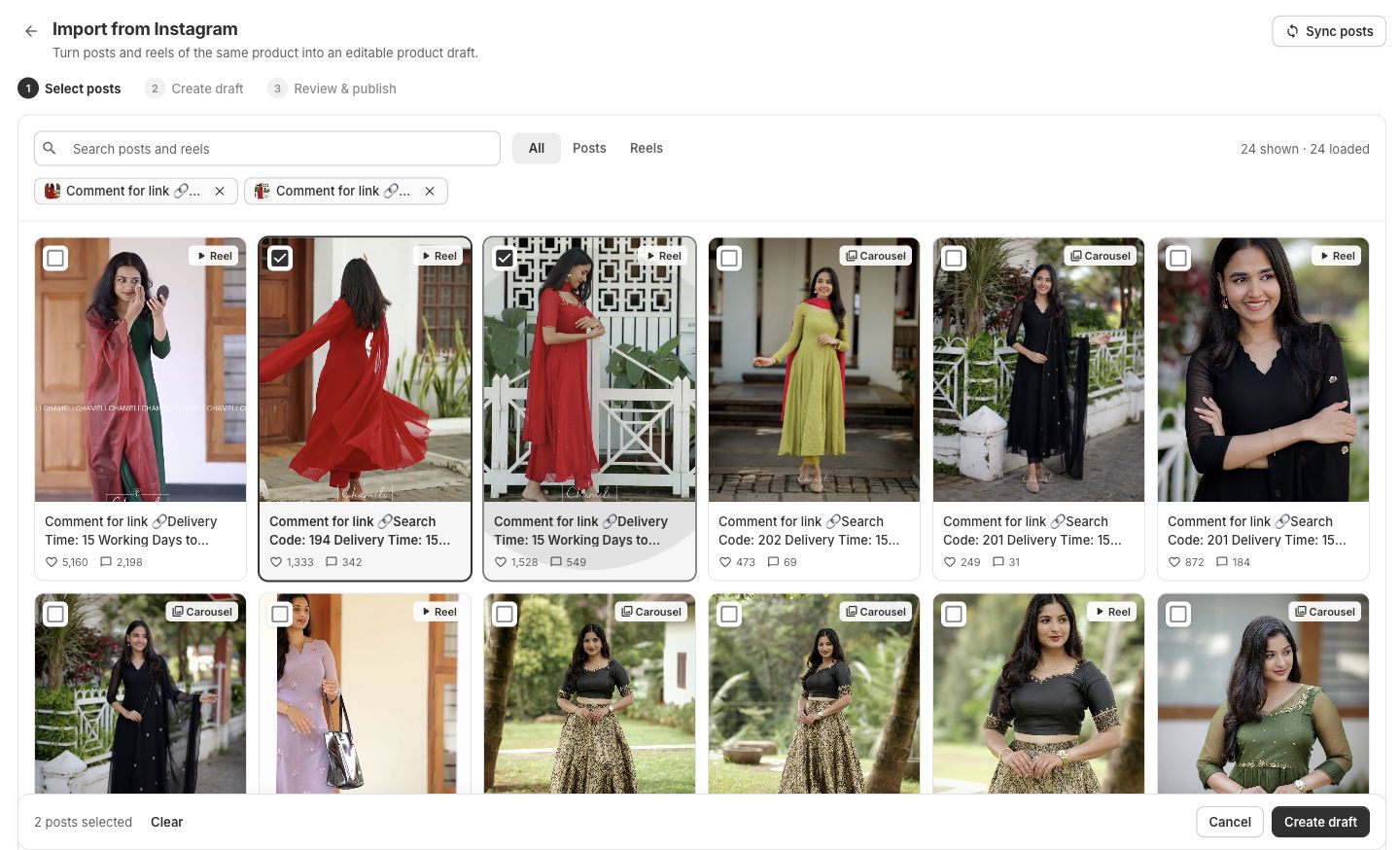
Select posts about the same product, then choose Create draft. The steps are Select posts, Create draft, and Review & publish. Create the draft
Check the selection count and select Create draft. Wait for generation to finish, then review the resulting draft before publishing.
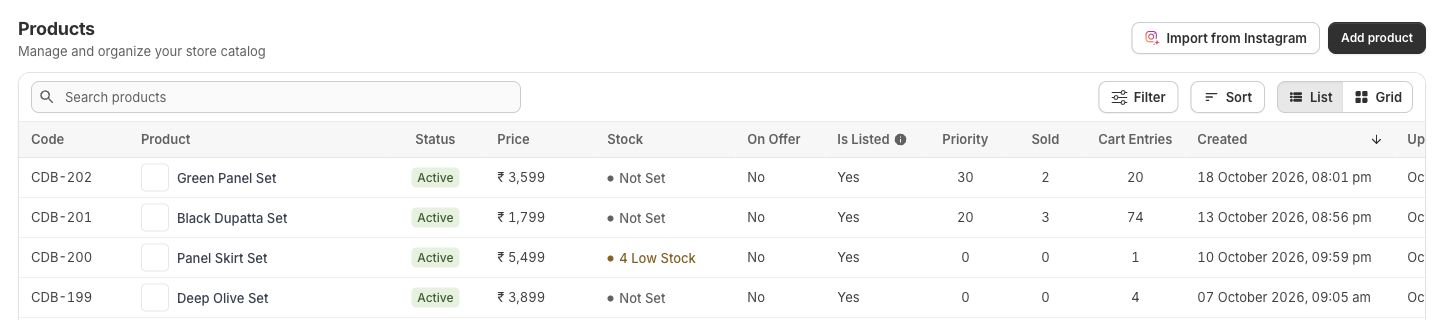
Review the listing
- Check that the images and description match the product you intend to sell.
- Correct the title, price, stock, and dispatch time using your own product information.
- Review any generated choices in the product editor before offering them to customers.
- Check website visibility, then inspect the product on your storefront.
If generation stops
Read the error and check whether a product was created before starting another generation. Repeating the action without checking can leave you with duplicate listings. If the result is unclear, contact support with the store, selected content, and approximate time.