
Understand cart activity
See which products visitors add to their carts and choose what to investigate next.
Sign in and select the right store before opening these links.
Open the report
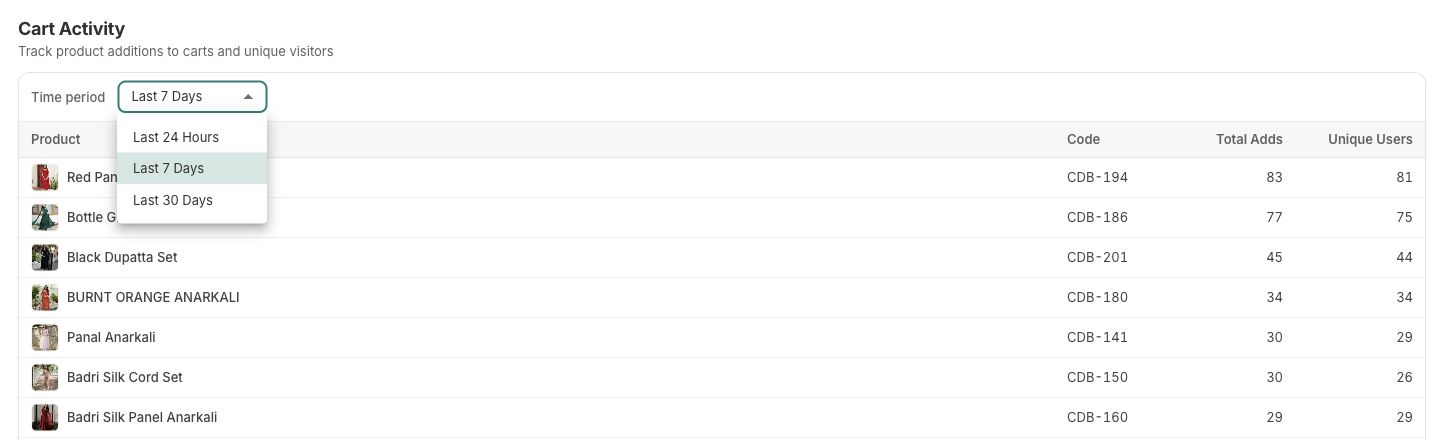
Open Cart Activity in the Orders area. Use Time period to choose Last 24 Hours, Last 7 Days, or Last 30 Days. Wait for the table to finish loading before reading the results.
Interpret the results
The report tracks product additions to carts and unique visitors. Use it to identify products attracting interest. An addition to a cart is not a paid order, and repeated activity does not necessarily mean multiple customers.
If there is no activity for a period, the table shows an empty state. Try a longer period to check whether the product has had activity earlier.
Choose a next step
| What you see | What to inspect |
|---|---|
| Cart interest without many orders | Checkout sessions and the customer's purchase journey |
| Interest in an unavailable product | Current product availability and stock |
| A change after a campaign | The same reporting period in Analytics and your ad reporting |
Follow up with context
Use customer and order records when investigating a specific issue. The cart report itself does not confirm that an automated recovery message has been sent or that a sale was completed.