
How To Manage Your Reviews?
Managing Website Reviews: A Complete Guide for Store Owners
Customer reviews are the lifeblood of modern e-commerce. They build trust, influence purchasing decisions, and provide valuable feedback that can help improve your products and services. However, managing these reviews effectively requires a systematic approach to ensure quality control while maintaining customer satisfaction. This comprehensive guide will walk you through the entire review management process on your website.
The Customer Review Journey
Placing and Submitting Reviews
The review process begins after a customer completes their purchase and receives their product. When customers are satisfied with their experience, they naturally want to share their feedback with others. Haulistic makes this process as seamless as possible.
Customers can easily locate their purchased products and leave reviews directly below the corresponding item in their order history or simply choose the product from the collection and start writing the feedback at the bottom of the page in the review section. The review submission process is designed to be user-friendly and comprehensive, allowing customers to express their experience in multiple ways.
When submitting a review, customers have several options to make their feedback as helpful as possible. They can write detailed text feedback describing their experience with the product, upload pictures to showcase the product in real-world use, and provide their email address for follow-up communication. Both the photo upload and email fields are optional, giving customers flexibility in how much information they want to share.
The star rating system uses a standard 1-to-5 scale, where 1 represents the lowest satisfaction level and 5 indicates the highest. This quantitative measure provides quick visual feedback for other potential customers while the written review offers detailed insights.
Dashboard Management: The Control Center
Accessing the Manage Review Section
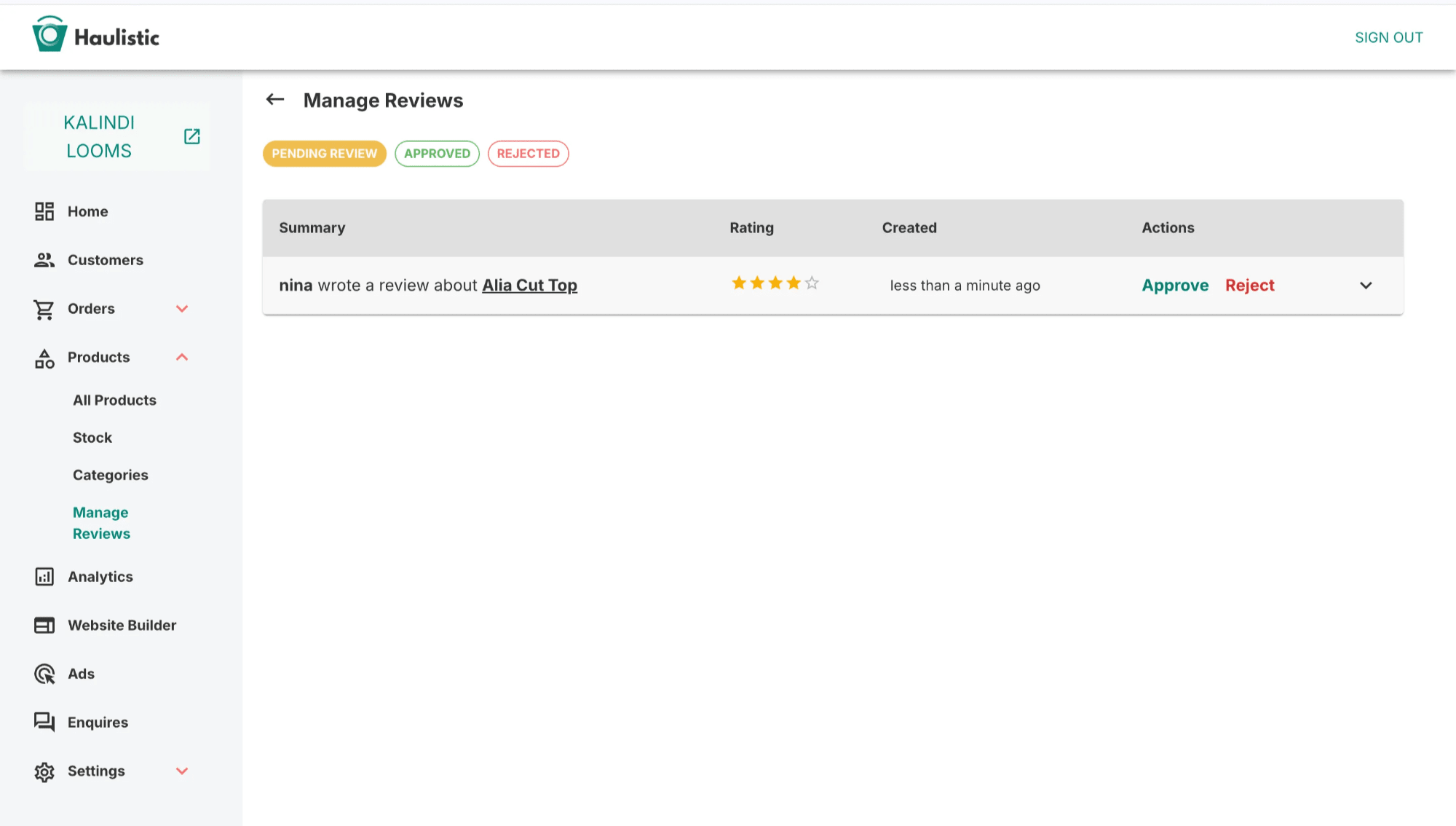
Once customers submit their reviews, they don't immediately appear on the website. Instead, they flow into the website's management system, specifically the "Manage Review" section located within the Products tab of your dashboard. This centralized location serves as your command center for all review-related activities.
The dashboard provides a comprehensive overview of all submitted reviews, regardless of their current status. Store owners, team members, and administrators all have access to this section, though specific permissions may vary depending on user roles and website configuration.
Review Approval Process
The heart of review management lies in the approval process. Every submitted review requires manual review and approval before appearing on your website. This quality control step ensures that only appropriate, genuine, and helpful reviews are displayed to potential customers.
When reviewing submissions, you can evaluate several factors: the authenticity of the feedback, the appropriateness of the language used, the relevance to the actual product, and the overall helpfulness to other customers. You also have the opportunity to review any uploaded images to ensure they're appropriate and accurately represent the product.
The approval process is straightforward – you can either approve or reject each review with a simple click. This binary decision system streamlines the management process while giving you complete control over what appears on your website.
Review Status Management
Approved Reviews Tab
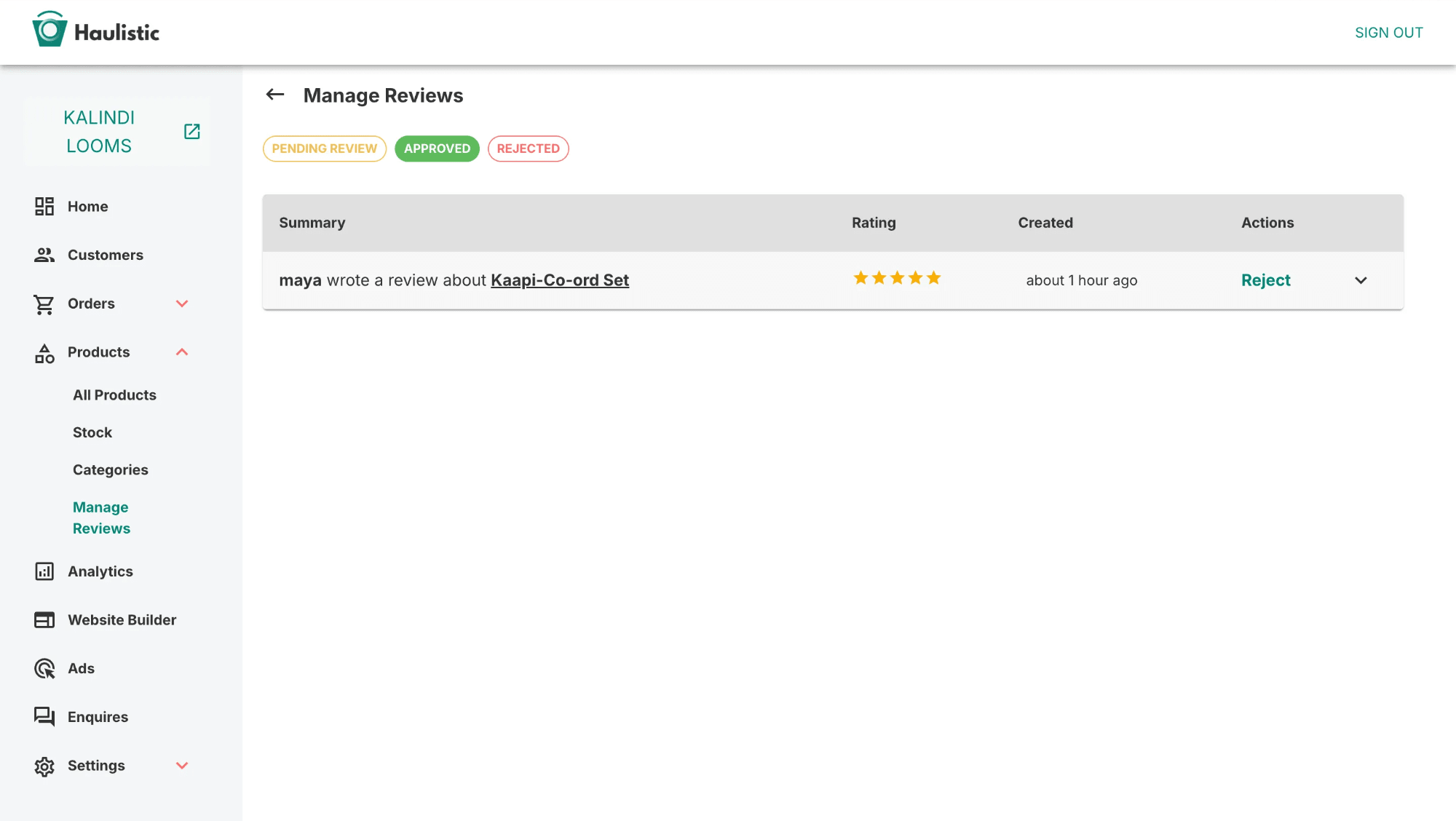
Once you approve a review, it immediately moves to the "Approved" tab within your dashboard and simultaneously appears on your website below the corresponding product. The public display includes the customer's name, their star rating, written feedback, and any photos they uploaded during submission.
Approved reviews aren't permanently locked in this status. The system provides flexibility to change your mind if circumstances warrant it. Perhaps you later discover issues with a review's authenticity, or maybe the feedback becomes outdated due to product improvements. In such cases, you can move approved reviews back to rejected status.
Rejected Reviews Tab
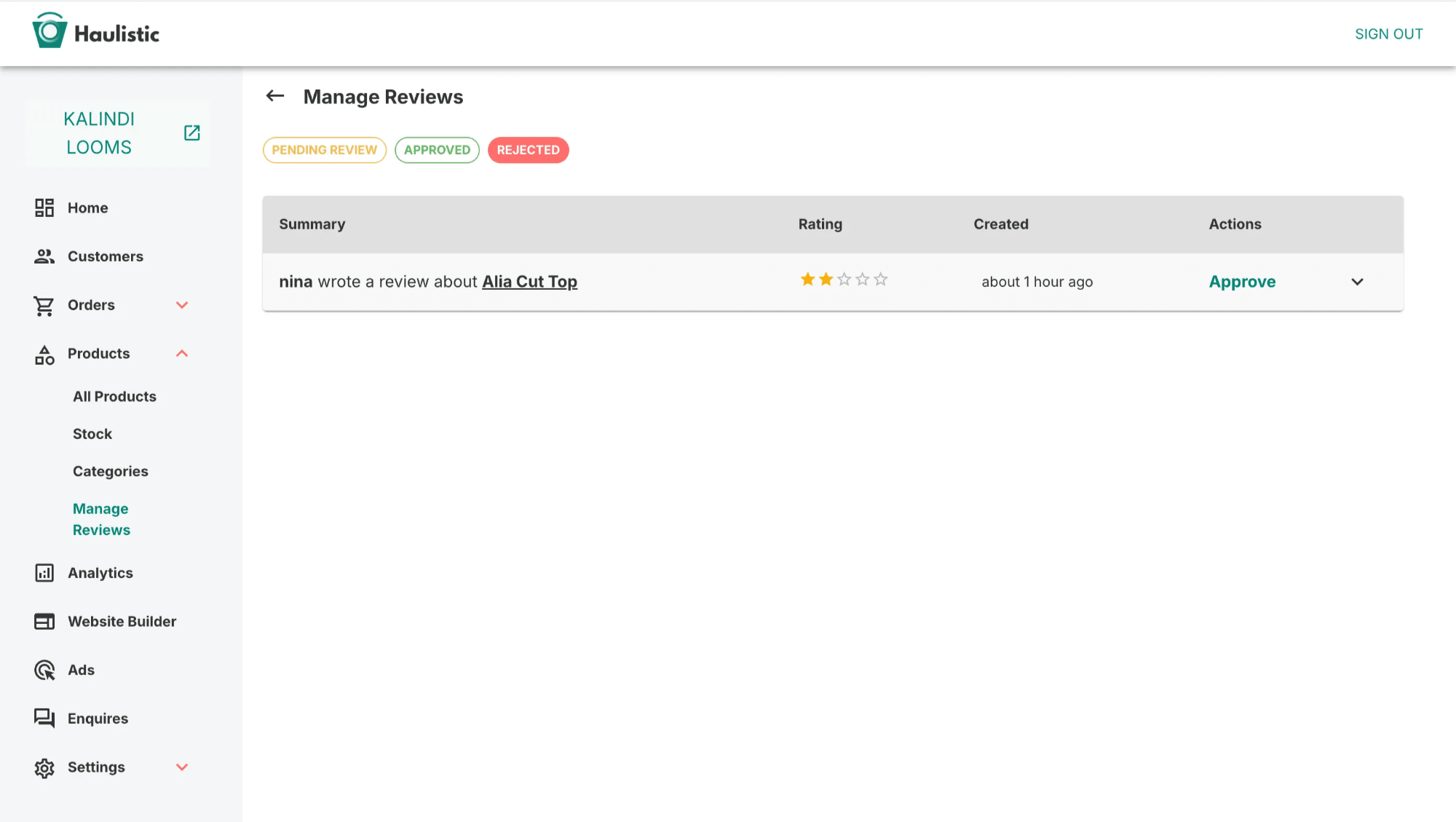
Reviews that don't meet your standards or require further consideration are moved to the "Rejected" tab. This isn't necessarily a permanent decision – the rejected status serves as a holding area where reviews can be reconsidered at any time.
Common reasons for rejection might include inappropriate language, spam content, reviews that seem fake or incentivized, feedback that's completely unrelated to the product, or submissions that violate your community guidelines. The rejected tab allows you to maintain these reviews for future reference without displaying them publicly.
The beauty of this system lies in its reversibility. If you initially reject a review but later decide it adds value, you can easily move it to the approved category. This flexibility ensures that you never permanently lose potentially valuable customer feedback due to hasty decisions.
Best Practices for Review Management
Timely Response Management
Regular monitoring of your review management dashboard ensures timely processing of customer feedback. Set up a routine schedule for reviewing submissions – whether daily, weekly, or based on submission volume. Quick processing shows customers that you value their input and keeps your product pages fresh with current feedback.
Leveraging Customer Feedback
Remember that the review management system isn't just about controlling what appears on your website – it's also a valuable source of product improvement insights. Even rejected reviews can provide useful information about customer expectations, product issues, or areas for enhancement.
Conclusion
Effective review management balances customer expression with quality control, creating a trustworthy environment that benefits both your business and your customers. The systematic approach of submission, review, approval, and status management ensures that your website displays authentic, helpful feedback while maintaining the flexibility to adapt to changing circumstances.
By implementing these review management practices, you create a robust system that enhances customer confidence, provides valuable feedback for business improvement, and maintains the integrity of your online marketplace. The key lies in consistent application of your standards while remaining responsive to the evolving needs of your customer base.
Guide details
Reading time
5 min read
Published
July 4, 2025
Topic
Operations