
What are primary and secondary product variants?
For many of us, the mere thought of creating an online presence brings on waves of confusion and frustration. The technical jargon, countless steps, and the fear of "breaking something" can make website building feel impossible.
What if we told you it could be as simple as slicing an apple?
That's exactly what Haulistic delivers – a website building experience so intuitive, you'll wonder why you ever stressed about it. Today, we're walking you through the Product Variant concept in Haulistic.
Why Product Variants Matter
Before we dive into the how-to, let's talk about why product variants are game-changers for your business. Whether you're selling t-shirts in different sizes, phones in various colors, or coffee in multiple roast levels, variants help you:
- Organize your inventory efficiently
- Provide better customer experience
- Increase sales through more options
- Streamline your product management
Understanding Primary vs. Secondary Variants
Product variants can feel like a puzzle with too many pieces. You might find yourself scratching your head, wondering: "What should be my primary variant? What counts as secondary? And how do I organize this without creating chaos?"
Don't worry – you're not alone in this confusion. The good news? Haulistic's variant system is designed to eliminate this headache entirely.
Adding Product Variants with Haulistic: A Real-World Example
Let's walk through this process using a practical example that makes everything crystal clear.
Building Your Variant Hierarchy: Primary + Multiple Secondary Options
Now you can see the bigger picture: Haulistic allows you to create one primary variant while adding unlimited secondary variants to complement it.
In our example:
- Primary variant: The Anarkali set (your foundation product)
- Secondary variants: Multiple categories that modify the base product
- Size options (XS, S, M, L, XL, 3XL)
- Color choices (Black, Navy, Gray, Pink, White)
- Style details (Different sleeve lengths, pocket styles, or fabric types)
Why This Structure Works
This hierarchy approach:
- Eliminates repetitive data entry
- Reduces pricing errors
- Makes bulk price updates effortless
- Keeps your pricing strategy consistent
- Scales effortlessly as your product line grows
Start with Your Product Basics
Navigate to the Product section on your Haulistic Dashboard. Once you add any product, the platform automatically prompts you to add variants – no guessing required.
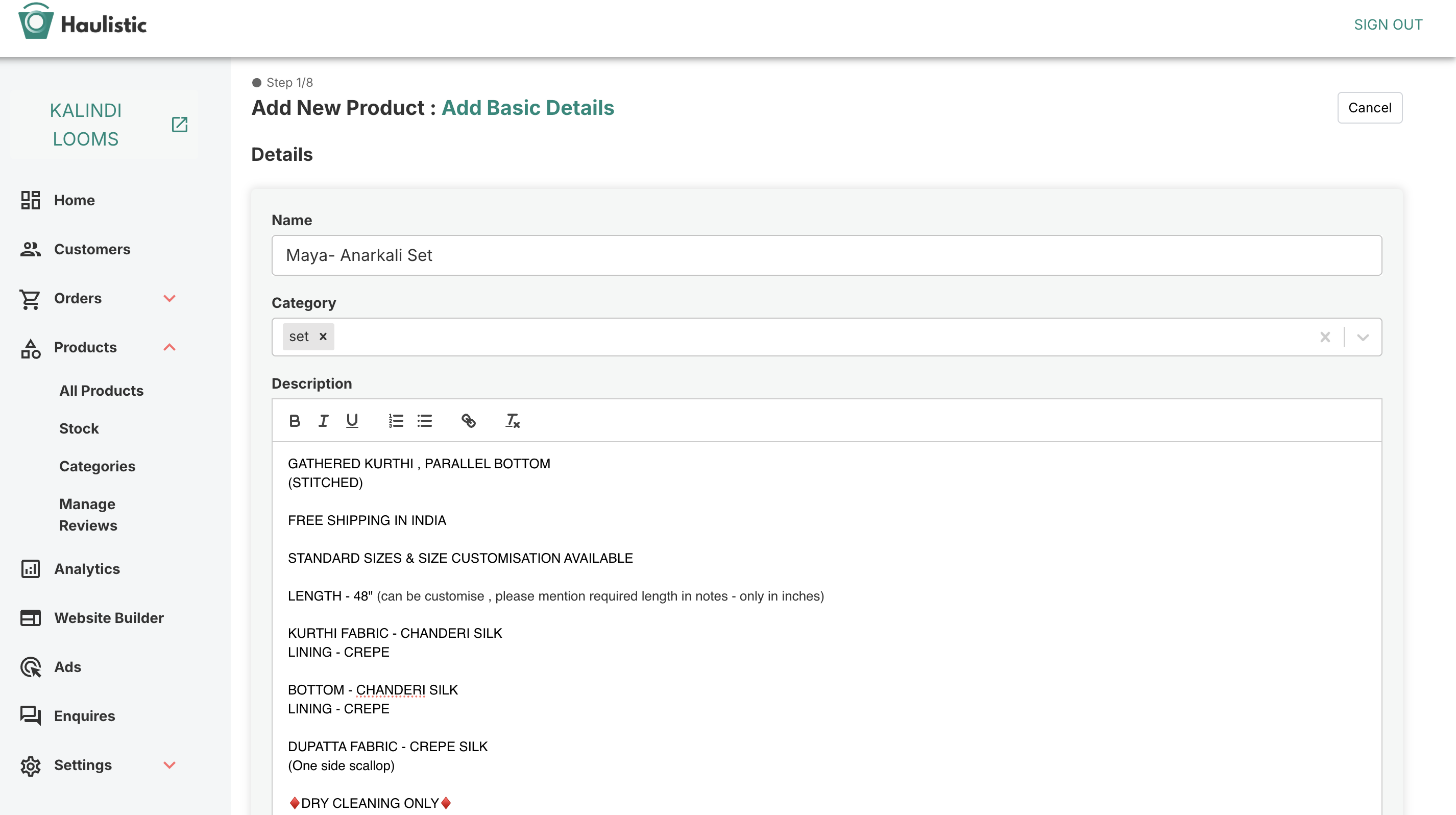
Our Example: The Anarkali Set For this tutorial, we're using or Anarkali Set as an example to demonstrate the process.
Before diving into variants, you'll first fill out the essential product information:
- Product price
- Available stock
- Detailed description
- Dispatch and shipping details
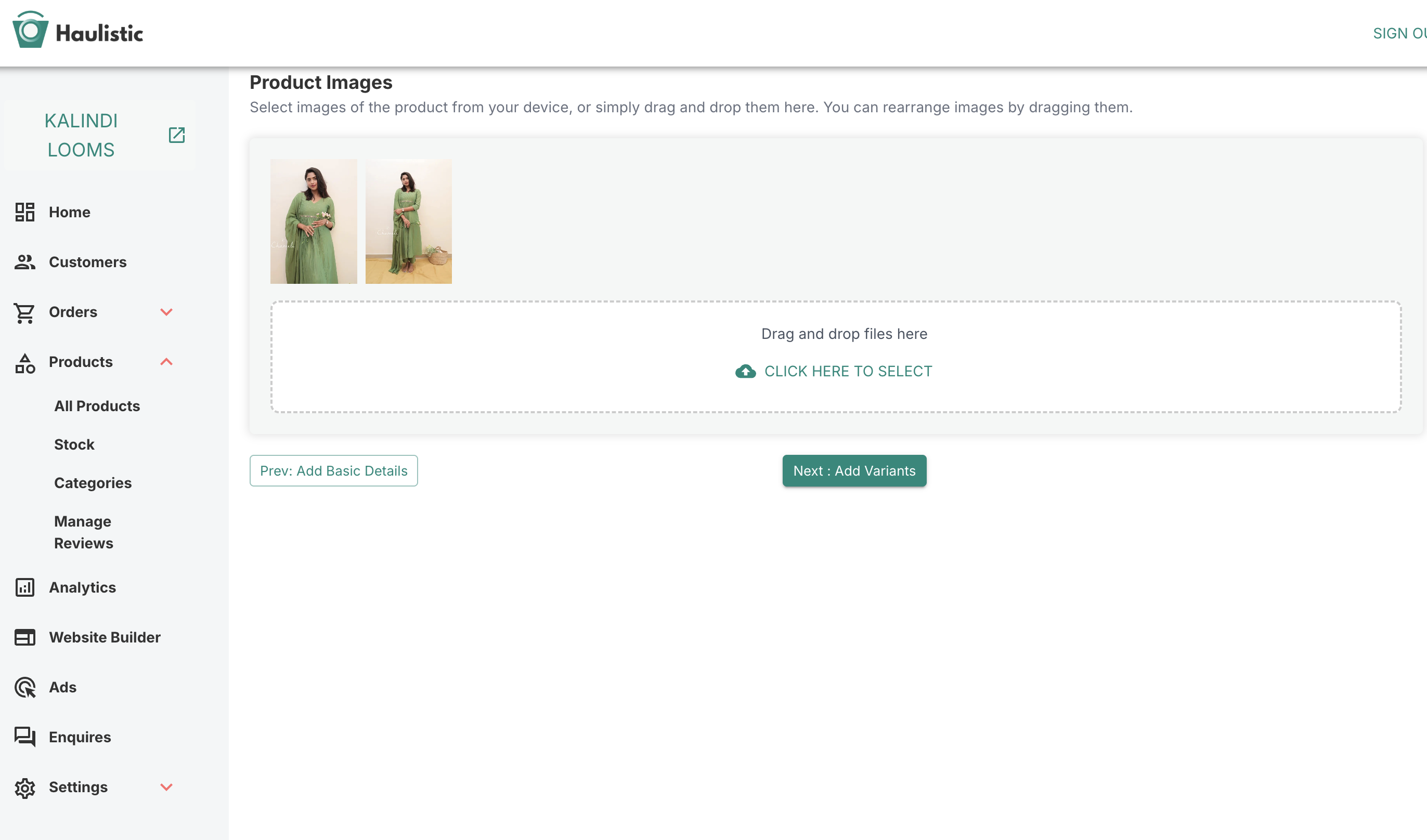
- High-quality product images
Product Page
Product Images Page
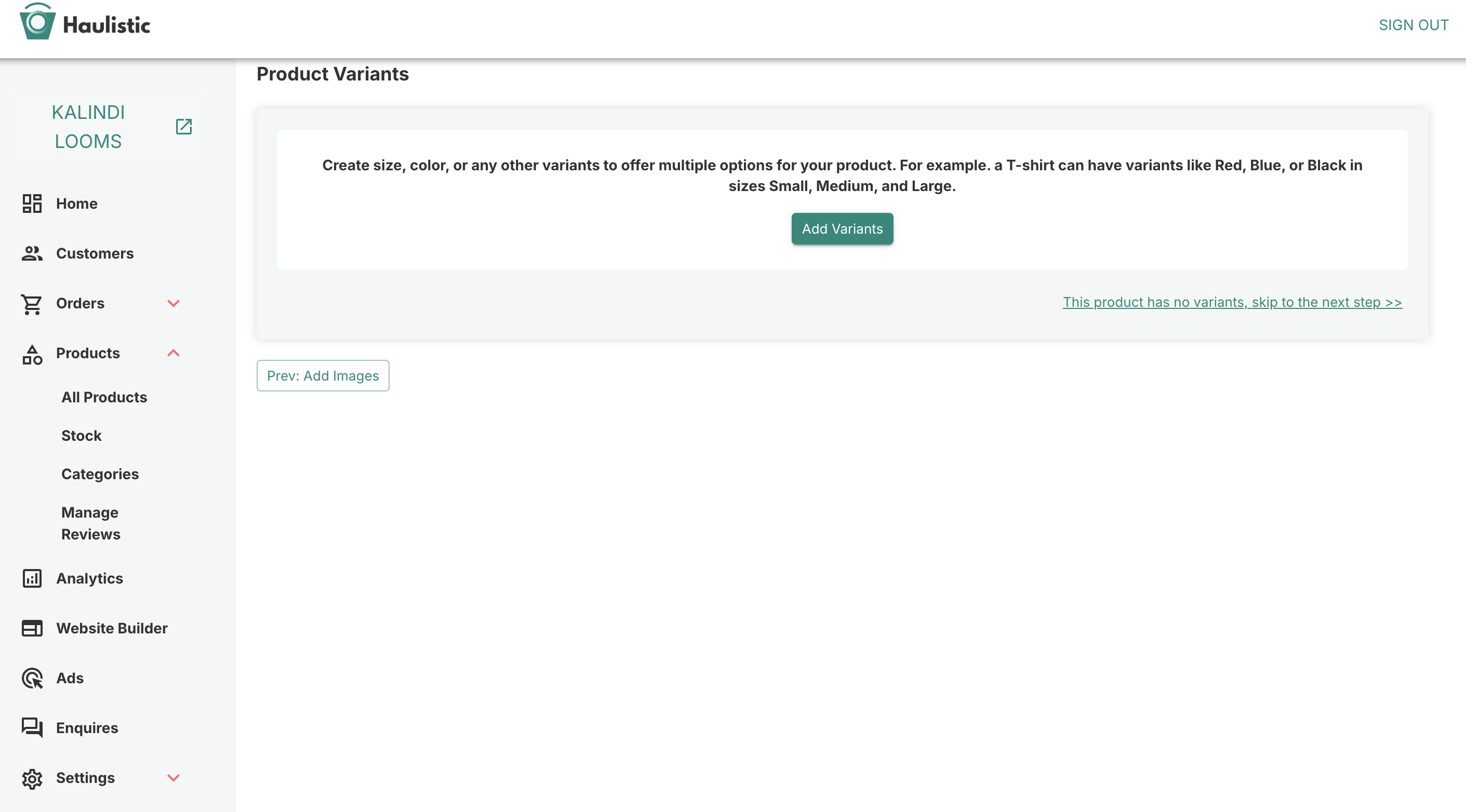
Automatic Variant Setup
Here's where Haulistic shines: once you've completed these basic details, the platform seamlessly guides you to the Product Variant page. No searching, no confusion – just logical, step-by-step progression.
Create Your First Variant
Let's start with Full Set as a variant for our example. After adding the options and assigning values like- full set and only top and bottom, Haulistic will ask a crucial question: "Is this a primary variant?"
Understanding Primary - Secondary Variants
When you mark a product as primary, We displays a helpful dialogue box that explains exactly what this designation means. Think of your primary variant as your "hero product" – the main version that represents your item.
In our example:
Choosing a primary variant establishes your base pricing structure. Instead of manually entering prices for dozens of combinations, you set one main price that other variants simply modify.
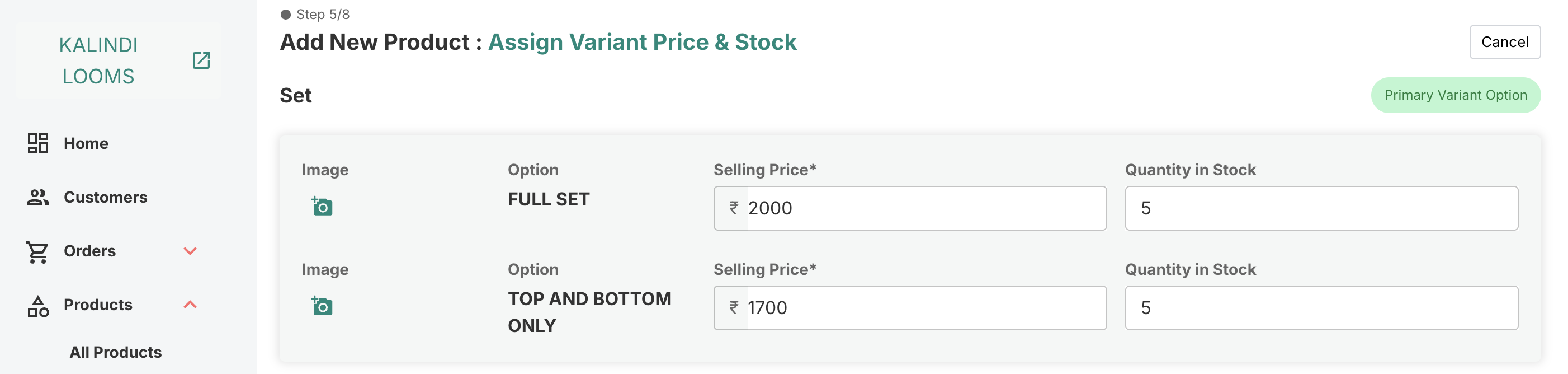
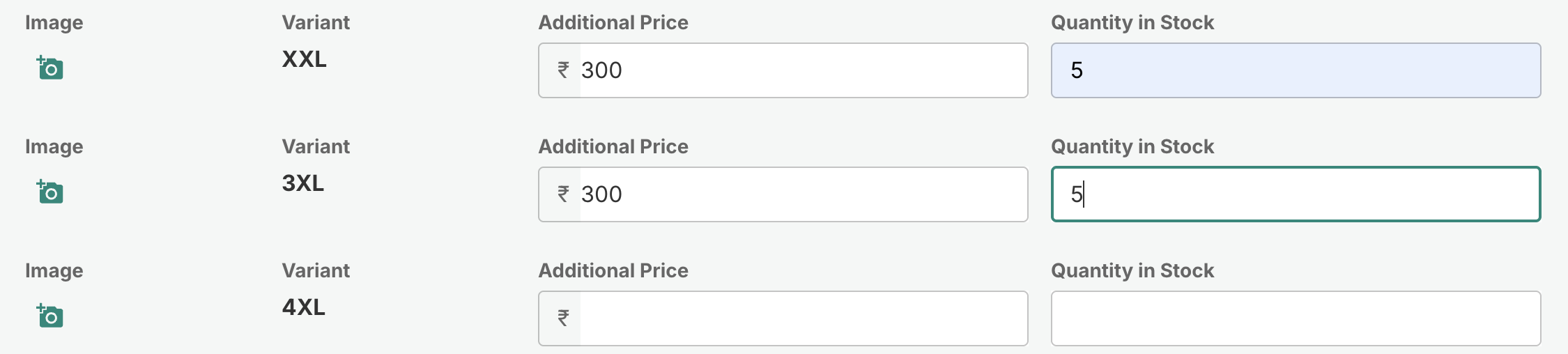
How It Works: Your primary variant becomes the pricing foundation. Secondary variants then add or subtract from this base price, creating a streamlined system that saves you hours of data entry.
Real-World Example: Let's say our primary Set variant (full set, medium) is priced at ₹2,000. Here's how other variants might adjust this base price:
- Size variations:
- 3XL: Base price plus ₹300 = ₹2300
- Color variations:
- Standard colors: No change = ₹2,000
- Premium colors: Base price plus ₹200 = ₹2,200
Instead of entering individual prices for every black-XS-full set, navy-medium-top amd bottom, or gray-3XL-full set combination, you're simply making quick adjustments to your foundation price of ₹2,000.
Let's Cement This with One More Example
To make sure this concept is completely clear, here's another practical scenario that shows the flexibility of Haulistic's variant system.
Let's break this down with an example using a saree to show how variant categories work in practice.
Example: Traditional Saree
Primary Variant Category: Color
- Variant Values: Black, White
Secondary Variant Category: Border Type
- Variant Values: Plain (no additional cost), Hand-embroidered (+₹500)
How Customer Combinations Work
With this setup, customers can choose from four distinct combinations:
- Black saree + Plain border = Base price (₹2,000)
- Black saree + Hand-embroidered border = Base price + ₹500 = ₹2,500
- White saree + Plain border = Base price (₹2,000)
- White saree + Hand-embroidered border = Base price + ₹500 = ₹2,500
The Haulistic Difference
While other platforms make you jump through hoops, Haulistic's approach is refreshingly straightforward. No coding knowledge required, no confusing technical terms, and definitely no need to call your tech-savvy nephew for help.
Adding product variants doesn't have to be another item on your "someday" list. With Haulistic, you can have your variants set up and ready to sell in minutes, not hours. Your customers are waiting for options – give them exactly what they want, exactly how they want it.
Guide details
Reading time
5 min read
Published
June 4, 2025
Topic
Products